A procedure is a program code that can carry out certain tasks or return
a value. It can be called from other procedures. In Visual Basic 2015,
there are two types of procedures; sub procedures and functions. A sub
procedure(also call subroutine) is a procedure that performs a specific
task and does not return a value while a function is a procedure that
returns a value. We will learn about function in next lesson. A sub
procedure is usually used to accept input from the user, display
information, print information, manipulate properties or perform some
other tasks. It is a program code by itself and it is not an event
procedure because it is not associated with a runtime procedure . It is
called by other code whenever it is required to perform a certain task.
Sub procedures help to make programs smaller and easier to manage. A
sub procedure begins with a Sub keyword and ends with an End Sub
keyword. The program structure of a sub procedure is as follows:
Sub ProcedureName (parameter)
Statements
End Sub
The parameter is a certain data that is passed into the sub procedure to perform a specified task.
Example 16.1
In this
example, we create a sub procedure to sum up two values that are
specified as the parameters. The main program can reference a procedure
by using its name together with the parameters in the parentheses.
Private Sub Form1_Load(sender As Object, e As EventArgs) Handles MyBase.Load
sum(5, 6)
End Sub Sub sum(a As Single, b As Single)
MsgBox(“sum=”& a + b)
End Sub
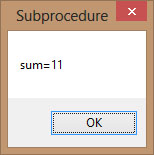
Running the program produces a message box
Figure 16.1
Example 16.2: Password Cracker
This is Visual Basic 2015 program that demonstrates how to crack
passwords. It can generate possible passwords and compare each of them
with the actual password; and if the generated password found to be
equal to the actual password, login will be successful.
In this program, a timer is inserted into the form and it is used to
do a repetitive job of generating the passwords.We create a passwords
generating procedure generate () and it is called by the e Timer1_Tick()
event so that the procedure is repeated after every interval. The
interval of the timer can be set in its properties window. A value of 1
is 1 millisecond and a value of 1000 is 1 second. We shall set the
Timer’s interval at 100 which is equivalent to 0.1 second. The
Timer1.Enabled property is set to false so that the program will only
start generating the passwords after the user clicks on the Generate
button. Rnd is a Visual Basic 2015 function that
generates a random number between 0 and 1. Multiplying Rnd by 100 will
produce a number between 0 and 100. Int is a Visual Basic 2015 function
that returns an integer by ignoring the decimal part of that number.
Therefore, Int(Rnd*100) will produce a number between 0 and 99, and
the value of Int(Rnd*100)+100 will produce a number between 100 and
199.Finally, the program uses If…Then…Else to check whether the
generated password is equal the actual password or not. If they are
equal, the passwords generating process will be terminated by setting
the Timer1.Enabled property to false.
The Code
Public Class Form1
Dim password As Integer Dim crackpass As Integer
Private Sub Button1_Click(sender As Object, e As EventArgs) Handles Button1.Click
Timer1.Enabled = True
End Sub
Private Sub Timer1_Tick(sender As Object, e As EventArgs) Handles Timer1.Tick
generate()
If crackpass = password Then
Timer1.Enabled = False
Label1.Text = crackpass
MsgBox(“Password Cracked!Login Successful!”)
Else Label1.Text = crackpass
Label2.Text = “Please wait…”
End If
End Sub
Sub generate()
crackpass = Int(Rnd() * 100) + 100
End Sub
Private Sub Form1_Load(sender As Object, e As EventArgs) Handles MyBase.Load
password = 123
End Sub
End Class
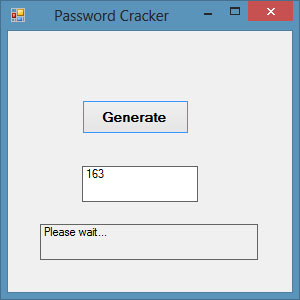
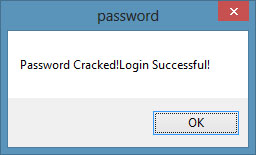
The output
Figure 16.2: Password Generating Phase

Figure 16.3: Message Showing Successful Login